Original materials, edge bands and Hardware Library articles supplied with Cabinet Designer are now protected. When modifying an original item, the program offers to create a copy that can be edited freely, leaving existing projects linked to the original item.
Prices and supplier links can still be modified directly on original items.
Hidden Library Items
Deleting an original item now hides it from lists and menus without affecting existing projects, Technology configuration or Composer modules that use it.
The Hardware Library now includes the Show hidden option and the Show again command to restore hidden items.
Original items modified in previous versions are marked as Modified original and can be restored to their supplied state using Restore original.
Project Material and Edge Band Backup
Projects now save a copy of their materials and edge bands, as already implemented for hardware items.
When opening a project, missing materials or edge bands can be restored from the saved copies. Modified items are also reported, excluding price changes.
Projects extracted from a room in Composer now include their materials as well.
New Missing Material Window
A new Missing material window helps manage projects created on other PCs when their material library contains items that are not available locally.
For each missing material, the window displays the components using it and their thickness, allowing the user to select a compatible replacement.
The replacement affects only the current project and does not modify the library.
New Cut List Configuration
A new Technology configuration > Cut list section allows users to configure how component dimensions are displayed.
Two options are available:
As machined: displays dimensions according to the side along which the component is loaded onto the machine along X. This is the default setting for grained components.
By the cabinet: displays dimensions according to the component orientation within the cabinet. This is the default setting for components without grain.
The new configuration is also available in Composer.
A new Duplicate button has been added to the Edge Band catalogue.
The Material catalogue duplication function now generates unique IDs that cannot conflict with existing items.
Original items modified in previous versions retain their existing modifications and remain editable. They are identified as Modified original.
Dowel Management
Improved dowel management for plinth caps, drawer boxes and fixed panels.
The program no longer automatically replaces missing dowels with a standard 8×30 dowel. Instead, the operation is refused and the Missing dowel window provides the available solutions.
The None option has been removed from Drawer box joinery, since drawer boxes require a joint at their corners.
Existing projects with drawers and the None option selected will now require the user to choose a valid joint.
Cut List and Dimensioned Drawings
The new dimension display configuration affects only the Cut List and the headers of dimensioned drawings.
The Grain column now follows the Length dimension displayed in each row.
CNC programs, nesting operations and raw panel dimensions remain unchanged.
New Project Creation
Fixed an issue preventing new projects from being created with the error material config references unknown material 'beech' when the beech material had been removed from the material catalogue.
New projects now use the default material configured in Technology configuration.
Fixed an issue that forced the back panel of new projects to use white melamine regardless of the configured default material.
Project Opening and Compatibility
Fixed an issue where projects created on another PC could open with a different, empty cabinet without any warning when their materials were missing from the local library.
Projects that cannot be built for other reasons are no longer opened with a different cabinet. The opening operation is refused and the reason is clearly displayed.
Restored compatibility with projects using original library items deleted in previous versions.
Cabinet Designer 6.0.1
2026-11-01
AI assistant: the assistant no longer mixes up the top and the bottom drawer. Every piece it reads now carries its position (height from the bottom of the cabinet and distance from the left), and drawers and shelves say where they sit counted from the top, as you say it: "top drawer", "drawer 2 of 4 from the top", "bottom drawer". The number in a piece's name follows the building order, from the bottom, and is no longer taken for its position. The same holds for the drawers of a module in the Composer.
Claude Desktop: Cabinet Designer could end up connected twice, once as an extension and once in the configuration file, and Claude Desktop then used neither. AI assistant settings now shows "connected (extension)" when the extension is installed and never adds the duplicate; if both are already there it shows "connected twice", and the "Remove the duplicate" button keeps the extension and removes the entries from the file.
Cabinet Designer 6.0.0
2026-11-01
New: AI assistant. Cabinet Designer and the Composer can now be driven by an AI assistant (Claude Desktop, the ChatGPT desktop app, Claude Code, VS Code, Cursor, or a local model in LM Studio): you ask in plain words, and the assistant changes the cabinet in the program that is open on your screen. It is off by default: switch it on in the new "AI assistant" menu, then use "AI assistant settings…" to connect an assistant installed on this PC with one click, or to create the plugin for Claude Desktop or ChatGPT (saved in Documents\CabinetDesigner\Plugins).
The assistant works the way you do: it reads and changes the sidebar parameters, the right-click menus of compartments and pieces, the menu bar and the windows it opens (Technology configuration, Hardware Library, material and edge-band catalogues), with the same checks, the same refusals and Undo. It can also turn the 3D view and take pictures of it, and in the Composer it can arrange the room and start a rendering. The CNC safety confirmations always stay yours: the assistant cannot see or answer them, and a question such as deleting an article is answered only if you agreed.
New View > Perspective projection (P key, also as a badge in the status bar), in Cabinet Designer and in the Composer.
Handles: new "To all" button beside Handle type. It applies the cabinet's handle to every door and drawer front, also to the pieces that had a handle of their own; a confirmation says how many pieces change. Pieces set to no handle stay without one, and sliding doors keep their own handle when the new one would stick out.
Prices and supplier links: every Hardware Library article (unit price), every material in the material catalogue (price per m²) and every edge band in the edge-band catalogue (price per metre) now has a supplier link, with an Open button that opens it in the browser, and a price in euro, VAT excluded. An empty price means "not entered", never zero.
New File > Export quote… in Cabinet Designer and in the Composer: an Excel file in the project folder with the panels (m² per material, from the cut list), the edge bands (metres per band, measured edge by edge) and the hardware (pieces from the hardware list), at the prices of your library today, plus a labour line where you enter your hours and hourly rate. The waste is set in Technology configuration > Quote (20% to start) and is added to panels and edge bands, never to hardware. The file has real formulas: change a price or the waste in Excel and the totals follow. Rows without a price are listed and left out of the total, never counted as zero.
When the AI assistant changes a price, the program asks you to confirm it in a window of its own, with the old and the new price and No as the default; the assistant cannot answer it for you. A price you type yourself is saved without questions.
Cabinet Designer 5.5.4
2026-10-29
Filler cabinet: a horizontal divider with joinery (dowels or minifix) no longer stops the build with the error "No panel found at point" when one side is less than about half as deep as the other (for example Left depth 230 mm with Right depth 460 mm). Each end of the divider is now fixed to its own side, over the depth the divider
Cabinet Designer 5.5.3
2026-10-23
New language: Arabic. The whole interface and the user manual are available in Arabic, and with Arabic selected both Cabinet Designer and the Composer are laid out from right to left (the 3D view is not mirrored). CNC file names stay in English, so that every machine can read them.
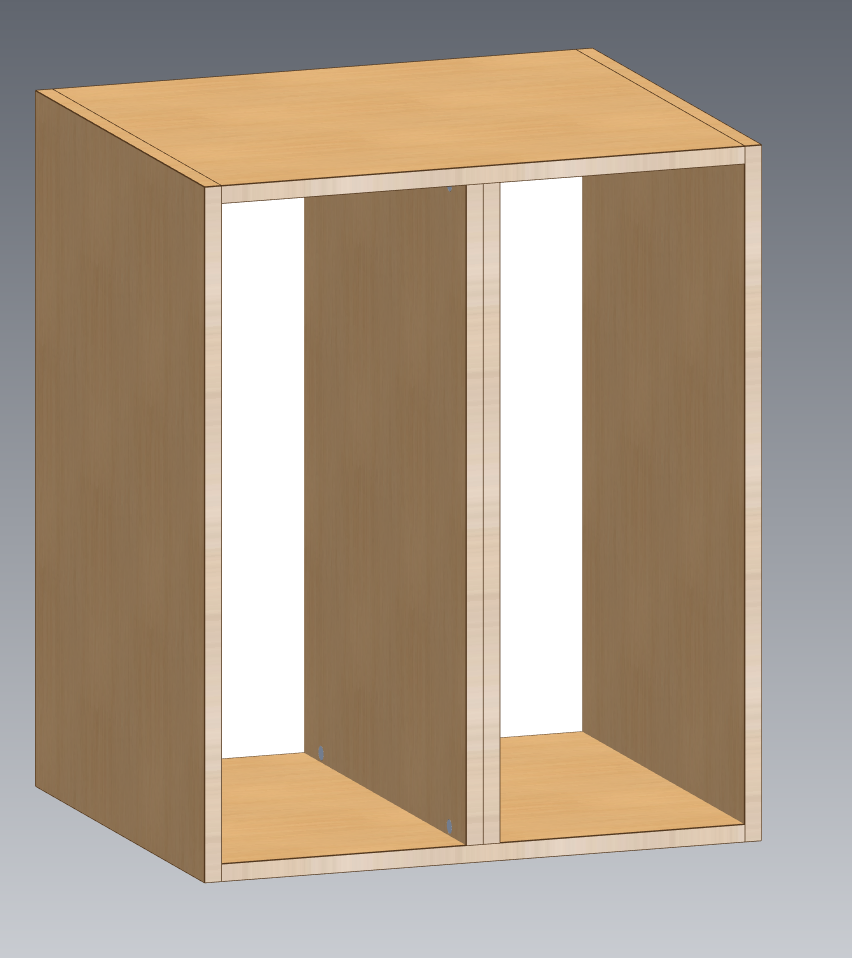
Dividers in contact: in "Split with expression" a quota of 0 now means 0 mm, so * / 0 / * places two dividers touching each other. A number below 1 is still a fraction of the compartment (0.25 = a quarter), as before; this is why 0.001 used to give a 0.6 mm compartment and an error.
On two dividers in contact the minifix cam of each divider is drilled on its free face, where it can be tightened. A divider touched by other dividers on both faces cannot take a minifix and is refused with the reason (dowels work). A 0 mm compartment cannot be split or hold shelves, drawers or a door of its own; a door covering it together with the compartments beside it is fine.
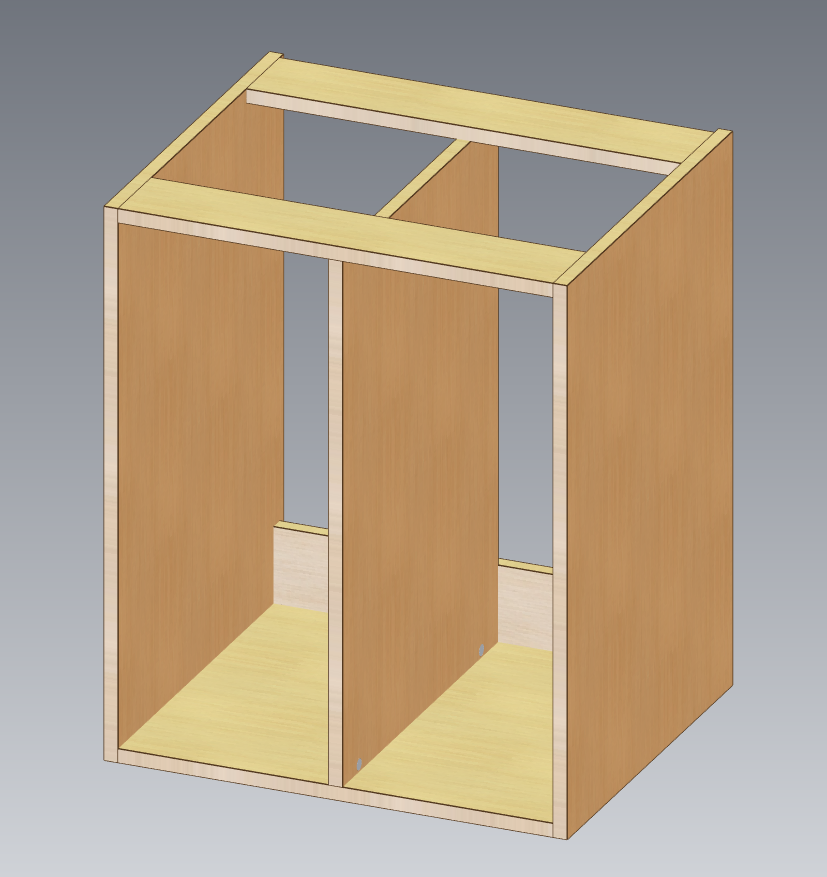
Sink base units with horizontal rails now accept vertical dividers. At the top a divider is fixed only to the rails it touches (the front one and the upper rear one), with the joint's usual distribution over each rail; at the bottom nothing changes. The divider stops in front of the low rear rail instead of running into it. With vertical rails a divider reaching the top is refused with the reason, instead of the old "No panel found" error.
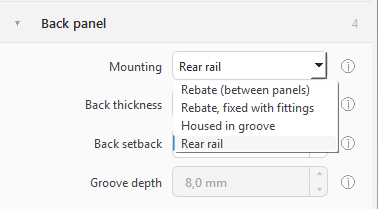
Back panel: new fourth mounting, "Rear rail". The cabinet has no back panel: the rear is closed by a low rail on edge, as high as the "Rail size", fixed to the sides with the hardware of the Joinery section, and vertical dividers stop in front of it. It is available on the standard cabinet, with or without a top.
The back panel no longer depends on the top: a sink base unit now accepts every mounting. With horizontal rails a full back sits under the upper rear rail (grooved, it is housed in it; with fittings, it is fixed to it) and the low rear rail goes; with vertical rails the full back replaces the rear rail and runs up to the top of the sides. "Rear rail" keeps the two rear rails of before.
Sink base units saved with earlier versions open with the "Rear rail" mounting, exactly as they were.
Rear rail back.pngSink vertical dividersDividers in contact.png
Cabinet Designer 5.4.0
2026-10-18
How a piece is loaded on the machine is now your choice. Technology configuration > Output format has two rows: "Machine orientation — grained parts" (grain, longest side or groove on X) and "Machine orientation — parts without grain" (longest side or groove on X). With "Groove on X", a piece with a back-panel groove or a drawer-bottom groove is loaded with the groove along X, so the drilling machine's blade can cut it; a piece without grooves follows the default of its row.
The same side along X is used in all three documents, in Cabinet Designer and in the Composer: it is the X axis of the CNC program, the Length in the cut list and the horizontal side of the technical drawings. No machining moves on the piece: only the way it is read changes.
Cut list: new Grain column (0 none, 1 along the Length, 2 along the Width, the same codes as the nesting list), because the Length is no longer always the grain direction.
Configuration profiles now carry their own library: choosing a profile in Technology configuration replaces the materials, edge bands, Hardware Library and textures in use with exactly the ones of that profile, and the library you leave is saved in the profile you leave.
New Export… and Import… buttons in the profile bar of Technology configuration: the technology configuration, the profiles and the library in one .zip file, to send to support or to move to another PC (licence and projects are not included). An imported file becomes a new profile, under a name that never clashes with one already in the list, and is put in use; the previous configuration and library stay in the profile that was active.
User manual: new sections on loading orientation, on profiles with their library and on exporting and importing the configuration; the path of the configuration folder is now shown correctly (CabinetDesigner).
Cabinet Designer 5.3.1
2026-10-17
Grain direction per element: when a piece's material has a grain (wood finish or a texture of its own), right-click the piece and choose "Change grain direction" to turn its grain by 90°; "Default grain" brings back the material's own direction. The texture of the piece turns with it and the choice is saved in the project.
New V key (View > Grain of the pointed element, also as a badge in the status bar): a double arrow on the piece under the mouse shows which way its grain runs. It is a view aid only: it never appears in renderings or in the project preview.
The grain now decides how a piece is oriented: in the cut list the Length is the size along the grain, even when it is the shorter side, and in the CNC programs the piece is loaded with the grain along X; the nesting list follows the programs. Pieces without grain keep the longest side along X, exactly as before.
Composer: modules and rooms saved with older versions now open and are updated automatically; a file saved by a newer version is refused with a message saying so, instead of an error.
Composer: every module now carries a copy of the hardware it uses. A dowel or hinge deleted or changed in the Hardware Library no longer stops a room from being drawn, the room's hardware list prints the articles as they were when the module was exported, and any difference from the library is reported when the room is opened and marked with * in the drawings.
Composer: right-click a module in the library to "Extract project…" (the editable Cabinet Designer project, with its preview and hardware) or "Extract frozen module…".
Projects now save a copy of their hardware too: when a project is opened and one of its articles is no longer in the Hardware Library, you are asked whether to restore it from the copy; an article that has changed is reported.
User manual: new sections on extracting modules from a room and on how changed or deleted hardware articles are handled across projects, modules, rooms and PCs.
Cut list: the pieces of a drawer box are now named for what they are (Drawer side, Drawer back, Drawer inner front, Drawer bottom) instead of all being called "Drawer".
Sink base unit: the low rear rail that replaces the back panel is now called Back panel in the element names, CNC file names and cut list.
Cabinet Designer 5.2.1
2026-10-12
Fixed: on some PCs the program closed right after the licence check. It happened when standard dowels had been deleted from the Hardware Library: the starting cabinet looked them up even though it did not use them. Now a dowel is looked up only when a piece that uses it is built (plinth caps, drawer boxes, fixed panels, corner-unit post).
New "Missing dowel" window: when a piece needs a dowel that was deleted from the Hardware Library, the change is no longer simply refused. The window offers to restore the standard item in the library, or to use another dowel the library still holds (optionally also as the default for new projects), and then applies the change again.
The plinth cap dowel and the corner-unit post dowel can now be chosen among all the dowels of the Hardware Library, not only the two standard ones.
Demo version: cut lists and dimensioned drawings are now available too, 5 of each, in addition to the 5 CNC generations. The limits are counted together across Cabinet Designer and the Composer (a finished + raw cut list counts as one), the remaining uses are shown after each export, and an unlock code resets all three counters.
Usage statistics (optional, only with your consent): they now say whether they come from the Full or the Demo version. In the Full version a new box, unticked by default, lets you link your statistics to your licence code so that support can see how you use the program; you find it when activating the licence and in Settings > Privacy, and unticking it deletes the licence code from the data on the server. The licence agreement has been updated (version 1.5) and will be shown again at the first start.
Cabinet Designer 5.2.0
2026-10-11
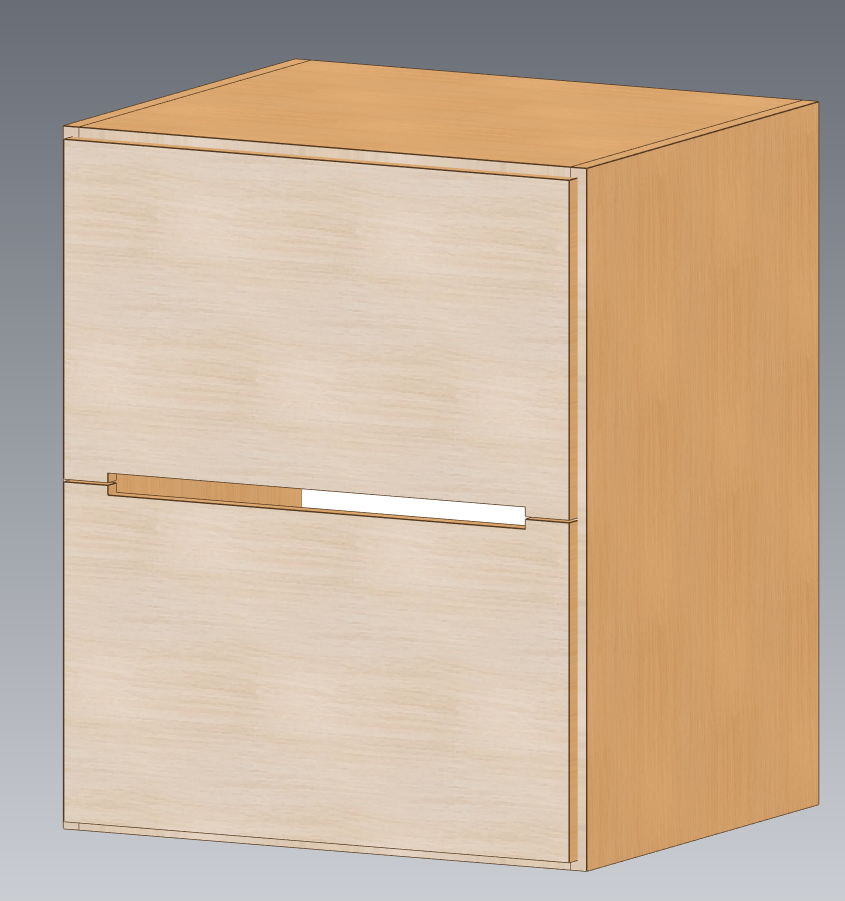
New handle type "3-sided notch": a recessed grip milled along three sides near the edge of the door or drawer front, with its shape, distances from the ends, direction, lead-in/lead-out and depth defined by the article in the Hardware Library. It can go right through the board only when the minimum residual material is set to a negative value, and a negative value is confirmed before every CNC generation.
"Force machining from the inner side of the cabinet" (formerly "hinge side") now also appears in the Handles accordion: it moves only the through handle machining to the back face, hinge side on doors and drawer side on drawer fronts.
Groove handles and 3-sided notches are milled with their own tools, chosen in the technology configuration; they are never milled with the contour bit. Without a tool the handle machining is left out and reported.
New drawer fillers: an optional fixed rail above each drawer, behind the fronts, with its own top and bottom clearances, fixed to the compartment walls with dowels. A filler that cannot be built (too low for the dowel, set-back wall, dowels meeting inside a divider) is refused with the reason.
Missing tools are now reported before any CNC file is written, in Cabinet Designer and in the Composer: every machining that would be left out, the field of the technology configuration to fill in and where to find it, with buttons to open the configuration or copy into the project the tools it already names. Blade cuts and 5-axis holes without a tool are now reported too.
Composer: the CNC generation of the room works again.
3-sided notchesdrawer fillers
Cabinet Designer 5.1.1
2026-09-28
New Channel clearance parameter
Cabinet Designer 5.0.1
2026-09-27
Compatibility error correction of dowels
Cabinet Designer 5.0.0
2026-09-27
- 3D view: the piece or compartment under the mouse is now highlighted, so you see exactly what the right-click menu will open. Hold Shift to ignore the compartments and point straight at the panels: while Shift is held the cursor changes and "Shift – panel selection mode" appears at the top left of the 3D view. The E key switches the highlight on and off, and View > Highlight... sets its style (outline only, glow, solid tint), colours and intensity.
- Element names (N key): the new option "Show hovered names only" (View > Element numbering style...) shows only the name of the piece under the mouse, looking past the compartments; the compartment under the mouse is then outlined without being filled.
- Status bar: a clickable badge for every View shortcut (fit, doors and drawers open, fronts, names, highlight...), lit when the option is on; the names badge also switches between all names and hovered names only. When the window is narrow the badges shrink to the key alone.
- Structural obstacles: beams and pillars can be placed in the cabinet; they cut the panels they touch (right through or as a notch), and any machining in conflict is removed and reported, never dropped silently.
- Automatic gap closure around an obstacle: closing walls are built on the side of the remaining board, the panels are shaped around them and shelves get their pin holes on the walls too.
- CNC notches: the notches left by an obstacle are milled as a single path right after the contour, before any drilling; on a U-shaped notch only the fittings along the opening are kept.
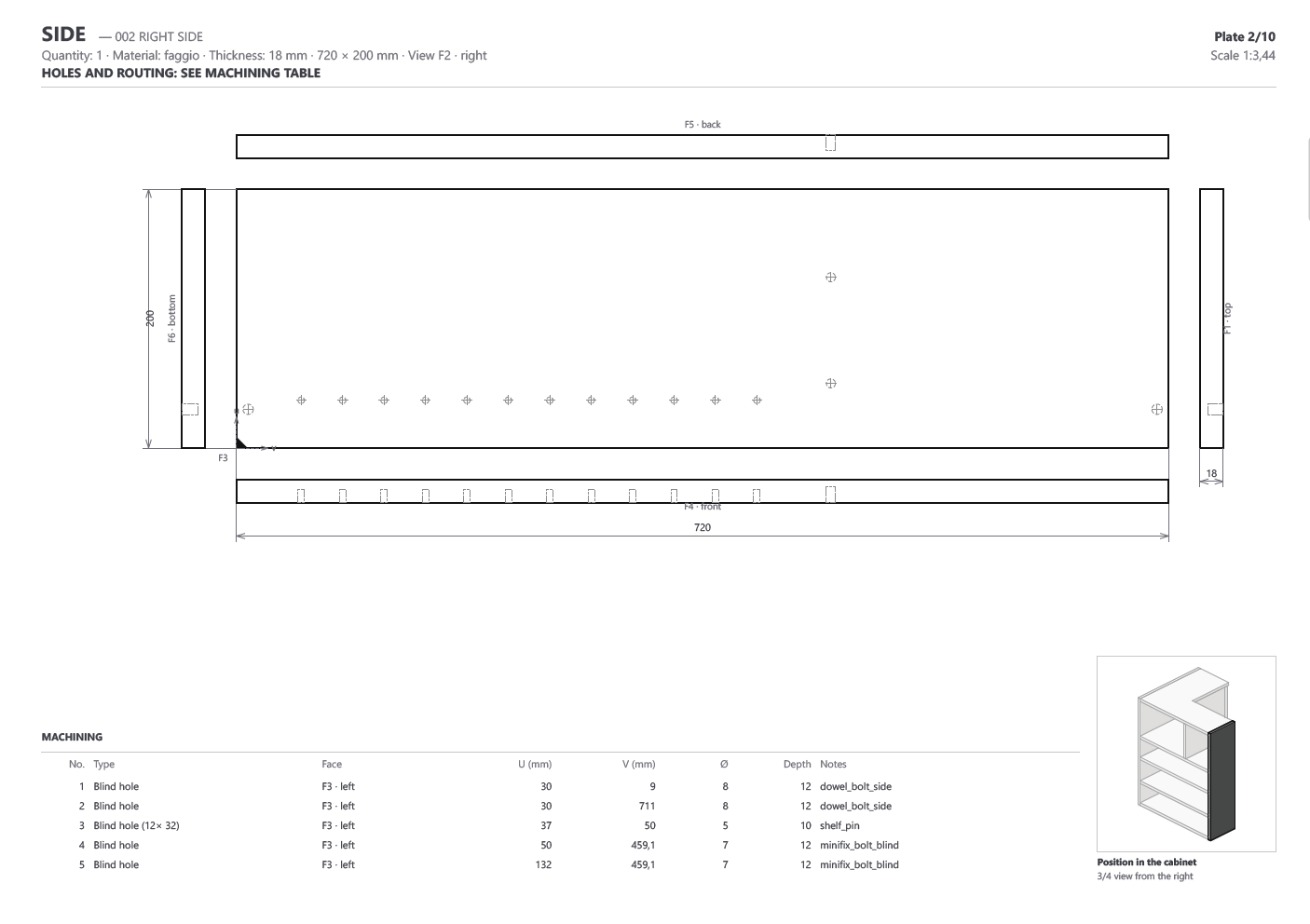
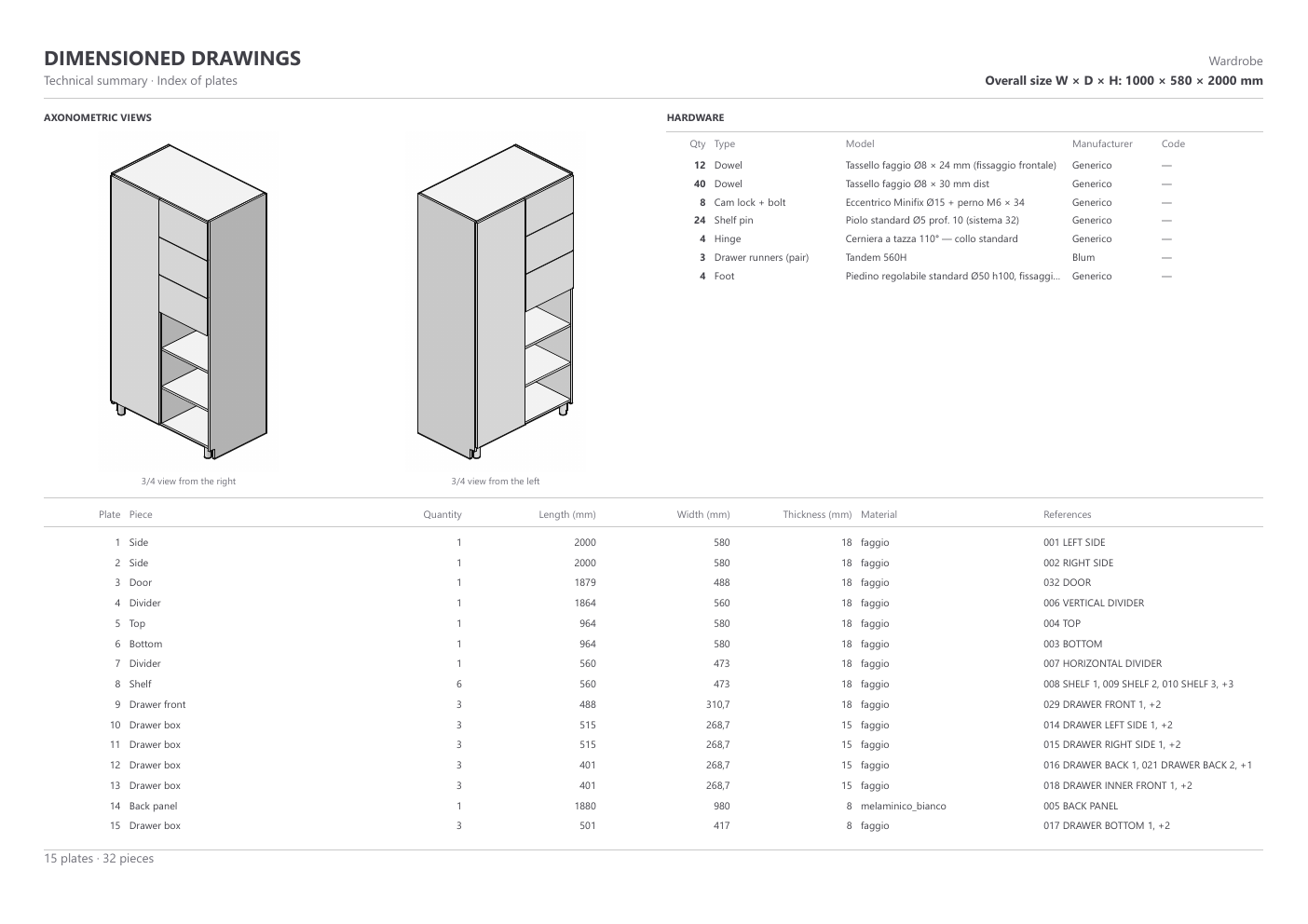
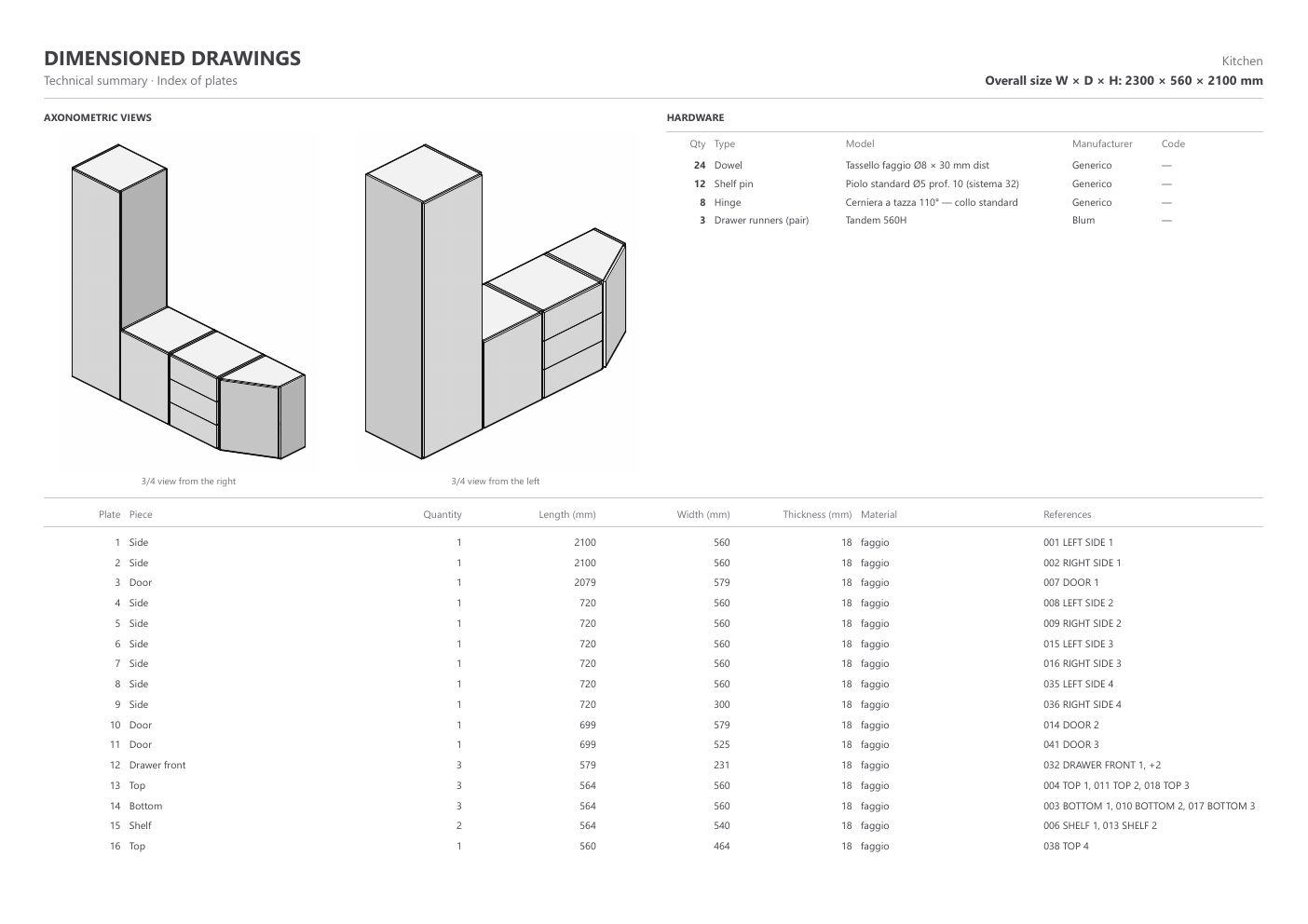
- Technical drawings: the first page now opens with two 3/4 views of the whole cabinet, the overall size W x D x H and the hardware list (quantity, type, model, manufacturer, code). Both can be switched off in the technology configuration.
- Composer: the room drawings get the same summary page, with views of the whole room and the hardware of all modules added up. Modules exported with an older version are named as missing from the list: export them again to include their hardware.
- Technical drawings: every plate now has a small 3/4 view of the whole cabinet (of the whole room in the Composer) with its piece highlighted, so the workshop sees at once where it goes. The piece stays visible even inside the cabinet or behind a door, and all its copies are highlighted. The view has its own place on the plate and never covers the drawing; it can be switched off in the technology configuration.
- A contact shortened by an obstacle now gets at least two fixings or none at all, with a note; a jointed back panel cut by an obstacle is fixed again on every piece.
- Composer: the export commands (CNC programs, unified cut list, dimensioned drawings) moved to the File menu, with the same shortcuts as Cabinet Designer (Ctrl+E, Ctrl+L, Ctrl+D), plus File > Exit (Ctrl+Q).
- Status bar: the line with panels, compartments and overall size stays in place and is no longer wiped by passing messages.
- Composer rendering: the camera now frames exactly the Composer view, it is no longer moved closer to the room.
- Rendering: the hinge baseplates are shown again on the cabinet side.
- Technical drawings: a heavily machined piece on a small sheet (e.g. A5) was drawn at 1:500 and ran over its table; the plate now leaves out the hole position dimensions only where they cannot fit, says so in its header, and keeps the full machining table and the numbers on the piece.
Beams and pillars now go right inside the cabinetWalls built for you around the obstacleThe notch gets milled in one go, before any drillingTwo fixings or none, never just oneDrawings open with 3/4 views and the hardware listRoom drawings get the same summary page
Cabinet Designer 4.10.0
2026-09-24
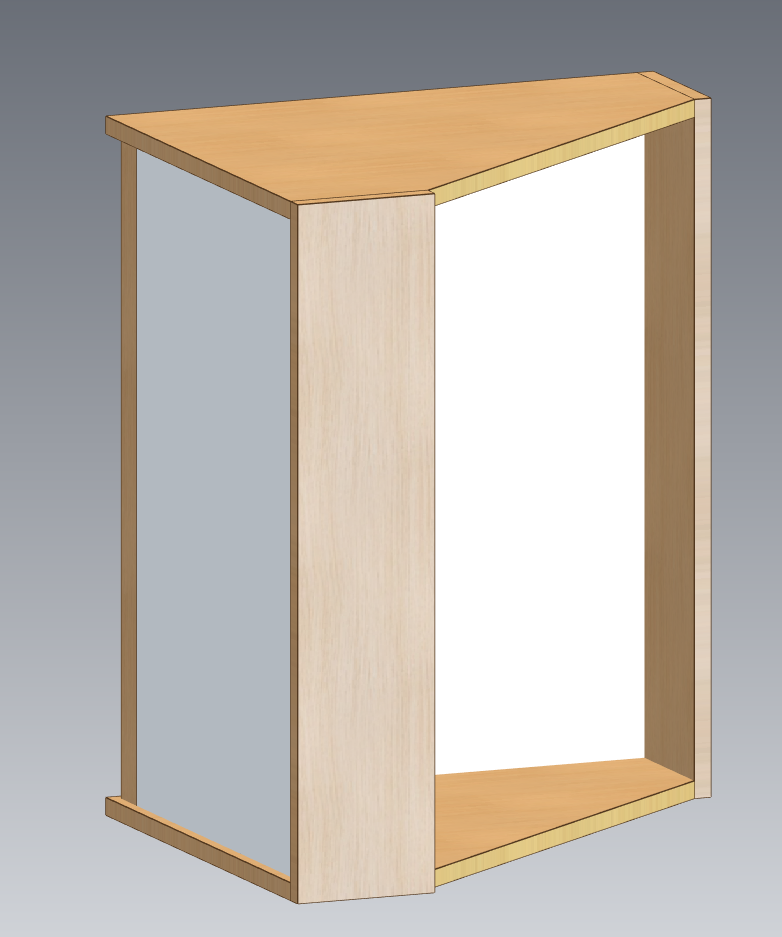
Management of interlocking backs for corner units
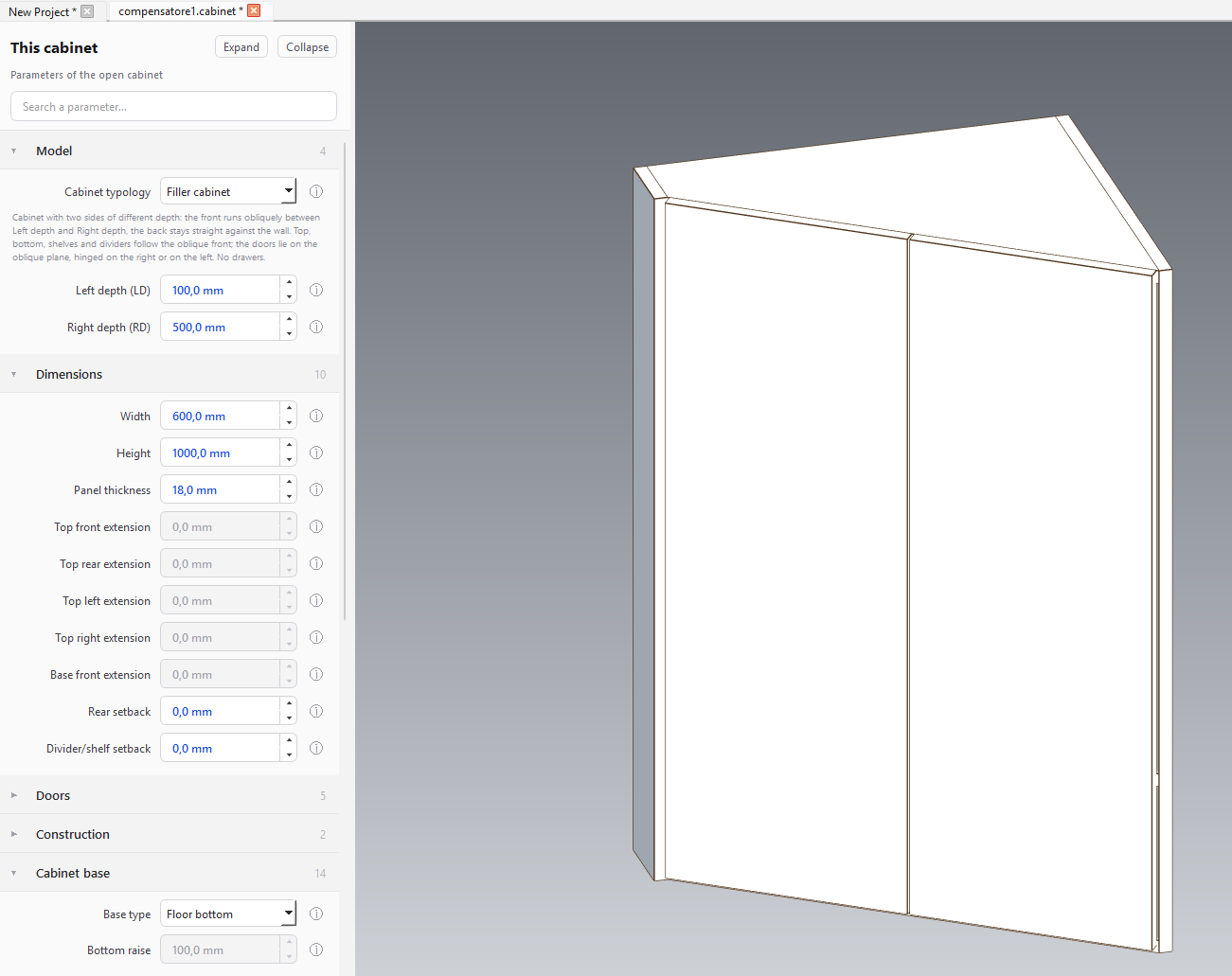
New type : filler unit
Diagonal corner unit door correction
backs for corner unitsNew type : filler unit
Cabinet Designer 4.9.0
2026-09-24
Doors with a fixed panel: a compartment can now be closed by a row of fronts written as a formula (f300/*/*), where the "f" prefix marks a fixed panel that does not open.
The door next to a fixed panel is hinged directly on the back of the panel, with no upright, no frame and no batten; the fixed panel is held by dowels into the top, the bottom and the side beside it.
Two neighbouring doors open as a book or as a bifold, switchable from the door menu.
Separate hinge choices for the fixed-panel mount and for the between-doors mount, with all the holes of a front kept on a single line.
In a row of fronts the hinge baseplate pins are no longer drawn in the 3-D view, as on a double door; the drilling is unchanged.
Cabinet Designer 4.8.1
2026-09-23
Correction of the dimensional calculation system of the diagonal corner unit.
startup log file adjustment.
Cabinet Designer 4.8.0
2026-09-23
New management of listed drawings with hole listing option
Cabinet Designer 4.7.5
2026-09-22
Added the possibility to calculate the joint positions from the overall dimension or from the inside of the back panel; for drawers, from the side panel or from the inside of the drawer bottom.
Added support for multiple profiles in the technological configuration.
Ability to hide cabinet components
Ability to add images to informational icons
Cabinet Designer 4.7.4
2026-09-21
Added the new parameter “Drawer side reduction/increase relative to the slide”.
In the accordion, it is now possible to select not only the maximum available slide length, but also one of the standard lengths available in the library for the selected slide model.
Translated warning messages into all supported languages
Fixed the calculation of drawer front dimensions.
Fixed the display of the Technology Configuration window when the graphics scaling is set to a value other than 100%.
Cabinet Designer 4.6.1
2026-09-20
4-sided drawer management
Management of the relief milling based on the maximum drawer side thickness
Introduction of two new tools dedicated to drawer bottom recessing and drawer side thickness reduction.
Modified drop chain in composer: the new module becomes the rightmost.
The licence activation window is now translated in all eight languages: its online-activation section had stayed in Italian whichever language was selected.
Fixed handling of displayed item names in the composer.
Cabinet Designer 4.5.0
2026-09-19
New hinge library management. Possibility to define hinges with a horizontal mounting plate or with different hole configurations.
Optional milling operation for hinges with a diameter greater than a specified value.
New **View** menu item, **N key**, for displaying the names of the various panels on screen.
Fonts are customizable.
The names of the panels and their corresponding CNC programs are now automatically generated in the selected language and are self-explanatory.
Cabinet Designer 4.4.2
2026-09-15
Revised the system of quoted designs for diagonal-cut corner unit
Fixed: on some Windows PCs the update download failed with a certificate error (CERTIFICATE_VERIFY_FAILED), even though the new version was found and its release notes were shown correctly.
The cause was outside the application: Windows ships a reduced list of trusted certificate authorities and completes it only when a browser needs one, which had never happened on those PCs.
Cabinet Designer now carries its own up-to-date list and uses it alongside the one Windows provides, on every connection it makes: updates, release notes, licence activation and usage statistics.
CNC generation no longer asks which machine to produce for: the "Machine code format" of the technology configuration decides, and it now offers DXF and IR files only beside XCS and PGMX. The Multi-Module app follows the same setting, so its Machine selector is gone; the free "Default machine" field has been removed as well.
Cabinet Designer 4.4.1
2026-09-14
Management of joint groups, to create pairs of joints (e.g. dowels) in each position instead of individual joints.
Fixed: on some Windows PCs the update download failed with a certificate error (CERTIFICATE_VERIFY_FAILED), even though the new version was found and its release notes were shown correctly.
The cause was outside the application: Windows ships a reduced list of trusted certificate authorities and completes it only when a browser needs one, which had never happened on those PCs.
Cabinet Designer now carries its own up-to-date list and uses it alongside the one Windows provides, on every connection it makes: updates, release notes, licence activation and usage statistics.
Cabinet Designer 4.4.0
2026-09-13
CSV file creation option for nesting
Sliding doors: Support for overlapping sliding doors from 2 to 4 doors.
New Sliding-door milling tool, independent of the backrest tool.
Notice before CNC generation for narrow edge machining performed with horizontal aggregate/head.
New Z offset programming to define the height of the workpiece relative to the machine plane, applied to all CNC programs.
Cabinet Designer 4.3.4
2026-09-12
The back now supports the joints like the other panels.
The back data of thickness have been rationalized in the Back Panel menu
The handle can be set individually for each door/drawer
Fixed feedback display when generating pgmx programs in Composer
Fixed a bug that didn't display new joinery in a divider's joinery list.
Cabinet Designer 4.3.3
2026-09-11
Open-source licence compliance. The installer no longer carries build tools it
never runs (PyArmor, Nuitka) nor the FEM and graph programs the application
never calls (CalculiX, Gmsh, Graphviz): the download is 214 MB smaller, and the
build now stops if an unexpected package turns up in the bundled runtime.
New "Third-party licences" window under Help - Version, listing every
open-source component with its version, its licence and the full licence text.
It works in the Demo too. FreeCAD and Blender are credited there and on the
website.
The source code of the open-source components is now published alongside the
installer, as the GPL and the LGPL require.
You can now run the application against your own build of FreeCAD, through the
CABINET_FREECAD_DIR environment variable.
Photorealistic rendering: fixed the floor going transparent in the foreground
and showing the backdrop through it, and the camera no longer leaves the room
when you zoom out.
Licence agreement updated to version 1.3: a new section on third-party and
open-source components, and the reverse-engineering restriction no longer
overrides rights granted by an open-source licence (acceptance is requested
again).
Cabinet Designer 4.3.2
2026-09-10
New front, side, rear extension possibilities for top and base
Semi-automatic redistribution of hinges based on dividers/shelves
Fix — new opening.door_split_line(door, solved):
the leaves meet on the centre of the region rect (the vano). interior.build_door_panels uses it for both xm and zm.
Fix: the snap is now the gesture, not the position.
Cabinet Designer 4.3.1
2026-09-08
Fix of inclined blade cuts for slanted cabinets
Cabinet Designer 4.3.0
2026-09-05
Contouring direction (clockwise / counter-clockwise) is now a setting in Technology Configuration.
Separate extra depth for blade cuts, next to the 5-axis blade tool.
The machine now stops after contouring an oblique profile so the operator can remove the loose offcuts; parking position is configurable.
Deep horizontal drilling on out-of-square corner units: the program shifts the workplane onto the wood instead of drilling through the air.
Machining warnings no longer mention a missing tool when no tool is missing.
Fixed the bevel direction of tilted blade cuts: mirrored corners of an out-of-square room were machined identical instead of opposite.
CNC export no longer fails when a panel, instance or tool name contains accented characters.
Cabinet Designer 4.1.0
2026-09-03
Added edge visibility in Render
Added the ability to open a single door/drawer (double click on element)
Cabinet Designer 4.0.0
2026-09-03
Exposing Offset BX and BY parameters.
Removed Generic CSV Machine Profile
Improved CNC and Logical controls.
Modified the material definition dialog
Redefining the Technology Configuration interface
Cleaning up some obsolete menus.
Cabinet Designer 3.9.2
2026-08-31
Adding isolated element view.
Correction on F6 CNC Output.
Correction on element thickness based on material change.
Cabinet Designer 3.9.1
2026-08-30
Faster updates: the render engine is no longer reinstalled, and the installer warns if the application is open.
Render no longer stalls at 0% after an update.
Cabinet Designer 3.9.0
2026-08-28
Expansion of the tutorials and manual in all languages.
Cabinet Designer 3.8.0
2026-08-28
Insertion of explanations icons for each parameter present in the program
Cabinet Designer 3.7.0
2026-08-27
Management of out-of-square corner unit
Cabinet Designer 3.6.5
2026-08-26
Rendering exposure and color improvement
Cabinet Designer 3.6.4
2026-08-25
Render fix
Cabinet Designer 3.6.3
2026-08-25
fix of the front setback for intermediate door/drawer dividers.
Cabinet Designer 3.6.2
2026-08-25
Adding drawings to composer
fix cutlist composer
Cabinet Designer 3.6.1
2026-08-24
3.6.1
Adding new kinematics to composer
Kinematic Drawer and Door Toggle
Edge management fix in composer
Cabinet Designer 3.4.0
2026-08-24
inset doors and Front-back divider/shelf extensions for slanted cabinet
Cabinet Designer 3.3.1
2026-08-24
Graphics fix on the hinges library
Cabinet Designer 3.3.0
Dividers/shelves setback from the front
Inset doors
Shelves: custom subdivision of the support pin holes
Manual: setback from the front and inset doors (8 languages)
Cabinet Designer 3.2.2
Set default material for all cabinet
Cabinet Designer 3.1.0
Generate dimensioned drawings
Cabinet Designer 3.0.0
Interruption of horizontal walls
Rear setback
New management of materials and thicknesses
Materials and thicknesses per element
Fixed the logic of the generated code for housing milling
Keep-out bands from milling + offset in the direction with more space
Cabinet Designer 2.8.1
Color correction
Cabinet Designer 2.8.0
PBR materials with transparent background textures
Different thicknesses per role (also on the corner unit)
Check that the hardware fits the chosen thickness
Cabinet Designer 2.7.2
Handling automatic updates from the Composer menu
Cabinet Designer 2.7.1
Post processor fix on F6 in-face code generation
Cabinet Designer 2.7.0
PGMX generation - native Maestro export also to PGMX (via XConverter), in addition to XCS
Smart PGMX gate - the PGMX format is chosen only with both paths set (XConverter.exe + .tlgx); otherwise it reverts to XCS. Fields with clear indications, translated into 8 languages
Open folder after CSV export - the cutting list automatically opens the folder (Cabinet Designer + Multi-Module)