Production-grade parametric 2D/3D design, photorealistic renders your clients sign off on, cut lists, quoted drawings and machine-ready SCM Maestro programs — the whole shop workflow in one application.
Cabinet Designer 6 plugs into the AI app you already have on your PC — ChatGPT, Claude or a fully local model — as an MCP server. Ask in plain words: it builds the cabinet, scouts the hardware, prices it and writes the quote, right in the program open on your screen.
Example adapted from a real session with the free ChatGPT desktop app (no subscription). Prices are examples; web search and price finding depend on what your AI app can do.
“Make it 900 wide, add two drawers and open the doors.”
The assistant uses the same sidebar, right-click menus and windows you do — same checks, same refusals, and every change can be undone with Ctrl+Z. It can also turn the 3D view and show you a picture.
“Find a cheaper hinge for these doors and put it in the project.”
With an AI app that can browse, it compares hinges, slides and handles on fit and price, adds the article to your Hardware Library with its supplier link and price, and fits it in the cabinet.
“Make me the quote for this kitchen.”
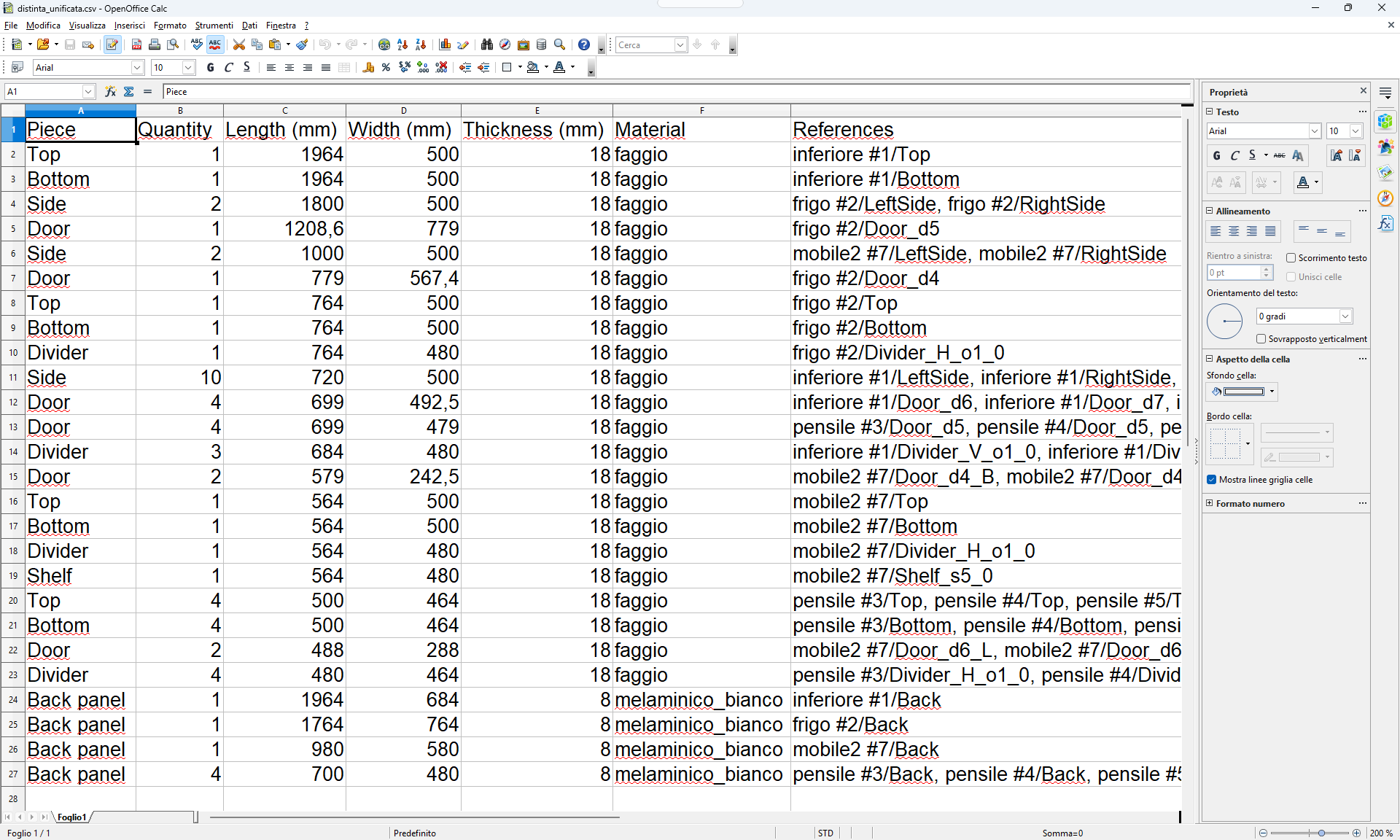
Panels in m² per material, edge bands in metres, hardware in pieces — at your library prices, waste included. Add your labour time in its own line. A real Excel file with formulas: change a price and the totals follow. Rows without a price are listed, never counted as zero.
Free Trial or Professional, on Windows 10/11. The AI assistant is in both.
We tested it with the free ChatGPT desktop app — no subscription, downloaded separately from OpenAI. It also works with Claude Desktop, Claude Code, VS Code, Cursor and LM Studio for fully local models.
In Cabinet Designer open the AI assistant menu and tick Enable the AI assistant. It is off until you do.
AI assistant settings… → Connect next to your AI app, or Create plugin for ChatGPT or Claude Desktop. Restart the AI app and install the plugin.
Your project, your library and the Composer room are all reachable. Watch every change happen on screen.
Designed for professional woodworkers and hobbyists alike.
Drive the whole cabinet from parameters. Resize, split openings, add dividers, doors and shelves with a live 3D preview.
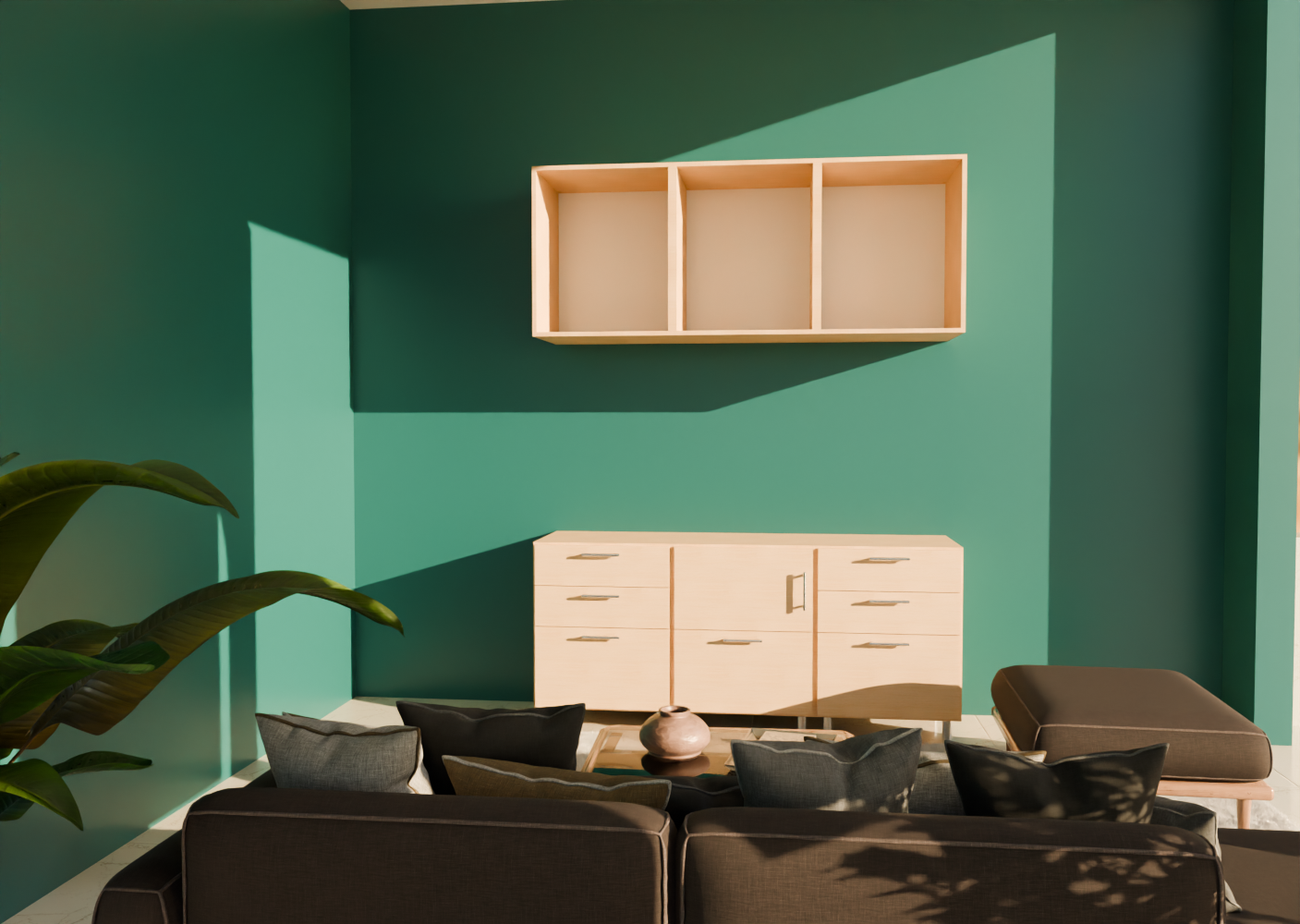
Turn compositions into client-ready visuals. Real materials and lighting produce studio-quality room renders straight from your design.
Not just boxes. Design standard carcasses, diagonal corner units and slanted-top cabinets — each with its own parametric geometry.
Editable material and edge-band palettes plus a full hardware library. Assign materials and hardware per panel, per door, per edge.
Auto-generate detailed cut lists with grain direction and edge-band compensation, so the panel saw gets the real finished sizes.
Export ready-to-run programs for SCM Maestro. Drilling, milling, blade cuts and toe-kick pockets emitted as native Maestro operations — as XCS or straight to PGMX via XConverter.
One PDF plate per piece, built from the same cut list your saw uses. Main view plus the four edges unfolded around it, contour, thickness and angular dimensions, and every operation listed in a machining table.
Bevels and tilted holes are real 5-axis operations, never a rotated approximation. With a 5-axis head they go straight to Maestro. Without one, declare no 5-axis tool and the same cuts stay in the model, the cut list and the drawings, flagged as off-machine work.
Real projects designed and rendered inside the software.
Version 6.0 brings artificial intelligence into the workshop — and puts a price on every panel, edge and hinge.
Connect the AI app you already use — even the free ChatGPT desktop app — and design by conversation: it builds the cabinet, scouts the hardware and writes the quote in the program open on your screen.
Supplier link and price on every hardware article, material (per m²) and edge band (per metre). File > Export quote writes an Excel file with real formulas: panels, edges, hardware, waste and a labour line you fill in.
A PDF of technical plates, one page per piece: views, contour and angular quotas, edge-band legend and a table of every machining operation. Straight from the cut list, so the shop drawing and the saw never disagree.
Bevels and tilted holes exported as native 5-axis Maestro operations — or, with no 5-axis tool declared, kept in the model, the cut list and the drawings as off-machine work.
Produce studio-quality renders of full room compositions to present to your clients.
New typologies: diagonal corner cabinets and slanted-top units with real 5-axis machining.
Parametric drawers on Blum Tandem / Movento guides and adjustable shelves on system-32 pins.
Plinths, toe-kick recesses and adjustable feet from an external library, exported as native pockets.
A dedicated, customisable library for every kind of hardware — hinges, drawer slides, handles, joints, shelf pins, feet, sliding-door systems. Each article has its drilling pattern, preview, supplier link and price, and you can edit it by hand or through the AI assistant.
Topological edge-band inference with per-edge overrides and cut-list size compensation.
Compose whole rooms from your designed modules, with a unified cut list and per-piece CNC output.
Full UI in IT, EN, FR, DE, ES, PT, NL, PL and now Arabic (AR, right to left) — switch language on the fly.
Guided in-app tours walk you through your first cabinet, drawers, edge banding and CNC export.
Each language has its own dedicated YouTube channel — tutorials, demos, and updates. The Arabic channel is on its way.
Tutorials, demos, and updates in English
Visit the channel FrançaisTutoriels, démos et actualités en français
Visiter la chaîne DeutschTutorials, Demos und Neuigkeiten auf Deutsch
Kanal besuchen ItalianoOfficial Italian channel
Visita il canale EspañolTutoriales, demostraciones y novedades en español
Visitar el canal PortuguêsTutoriais, demonstrações e novidades em português
Visitar o canal NederlandsTutorials, demo's en nieuws in het Nederlands
Kanaal bezoeken PolskiPoradniki, pokazy i nowości po polsku
Odwiedź kanałالواجهة ودليل المستخدم متاحان الآن بالعربية — القناة قريبًا
Coming soonThe same software: the trial shows everything and only meters the production output.
Never expires
Design everything for free — every typology, the full library and the room composer. The trial limits are 5 SCM Maestro (CNC) exports, 5 cut lists and 5 quoted-drawing PDFs (Cabinet Designer and Composer together), plus a DEMO watermark on renders.
Download FreeEverything you need to know before you download.
Any AI app that speaks MCP and runs on the same PC. We tested it with the free ChatGPT desktop app (no subscription; download it separately from OpenAI); it also works with Claude Desktop, Claude Code, VS Code, Cursor and LM Studio for fully local models. In Cabinet Designer open the AI assistant menu, tick Enable the AI assistant, then use AI assistant settings to connect your app in one click or create its plugin.
It works through the normal interface, so every change shows on screen and can be undone. CNC safety confirmations are always yours, and when the AI changes a price the program asks you to confirm it, with No as the default. The assistant is off until you switch it on, and only the AI app you connect can reach it.
Design without limits — every typology, the full hardware library, drawers, shelves, edge management and the room composer. The trial shows everything the Professional version does and only meters the production output: 5 SCM Maestro (CNC) exports, 5 cut lists and 5 quoted-drawing PDFs (Cabinet Designer and the Composer together), plus a DEMO watermark on photorealistic renders. In the Professional version they are unlimited.
Native SCM Maestro export in XCS or PGMX (PGMX generated via XConverter): drilling, milling, blade cuts and toe-kick pockets are emitted as real Maestro operations, including the F6 bottom-face split. Neutral DXF and CSV are also produced for other saws and workflows.
A complete design-to-machine chain, not a drawing tool: parametric carcasses, corner and slanted-top typologies, the hardware and material libraries, edge-banding technology with blank compensation, cut lists, quoted PDF drawings, photorealistic rendering and native SCM Maestro programs (XCS/PGMX) — including 5-axis operations and the F6 bottom-face split. It covers both Cabinet Designer and the room Composer, in nine languages.
Windows 10/11 (64-bit), an Intel Core i5 or equivalent, 8 GB RAM (16 GB recommended), a DirectX 11 GPU and 3 GB of free space. See the full list in the Download section.
Nine, switchable live inside the app: Italian, English, French, German, Spanish, Portuguese, Dutch, Polish and Arabic — with Arabic both apps are laid out from right to left, user manual included. Every language except Arabic also has its own dedicated YouTube channel; the Arabic one is coming.
Judge it on what reaches the machine.
XCS and PGMX written as real Maestro operations — drilling, milling, blade cuts, toe-kick pockets, F6 bottom-face split. Not a generic DXF someone re-programs by hand.
Diagonal and 90° corner units, slanted tops with true 5-axis operations, non-orthogonal rooms, per-element materials and thicknesses — parametric, not hand-drawn exceptions.
Design, render, quote and machine from the same file, in nine languages.
| Software | 3D Design | Cut Lists | CNC Export | Library |
|---|---|---|---|---|
| Cabinet Designer | ||||
| Cabinet Vision | ||||
| Cabinet Pro | ||||
| Pro100 | Limited | |||
| Mozaik CNC | ||||
| CabBuilder CNC | ||||
| CabN8 Full | Limited |
Competitor features reflect publicly available information as of June 2026 — verify directly with each vendor. A tick means the capability exists, not that two implementations are equivalent: on the CNC side Cabinet Designer writes native SCM Maestro programs, including 5-axis operations.
Ready to build? Grab the free trial.
The free trial lets you design without limits. Trial restrictions: 5 SCM Maestro (CNC) exports, 5 cut lists and 5 quoted-drawing PDFs, plus a DEMO watermark on photorealistic renders.
By downloading you agree to our Terms of Service and Privacy Policy.
We're here to help you get the most out of Cabinet Designer.
cabinetdesigner.global@gmail.com